Native menu bar utility for macOS 26

Your folders,
one click away.

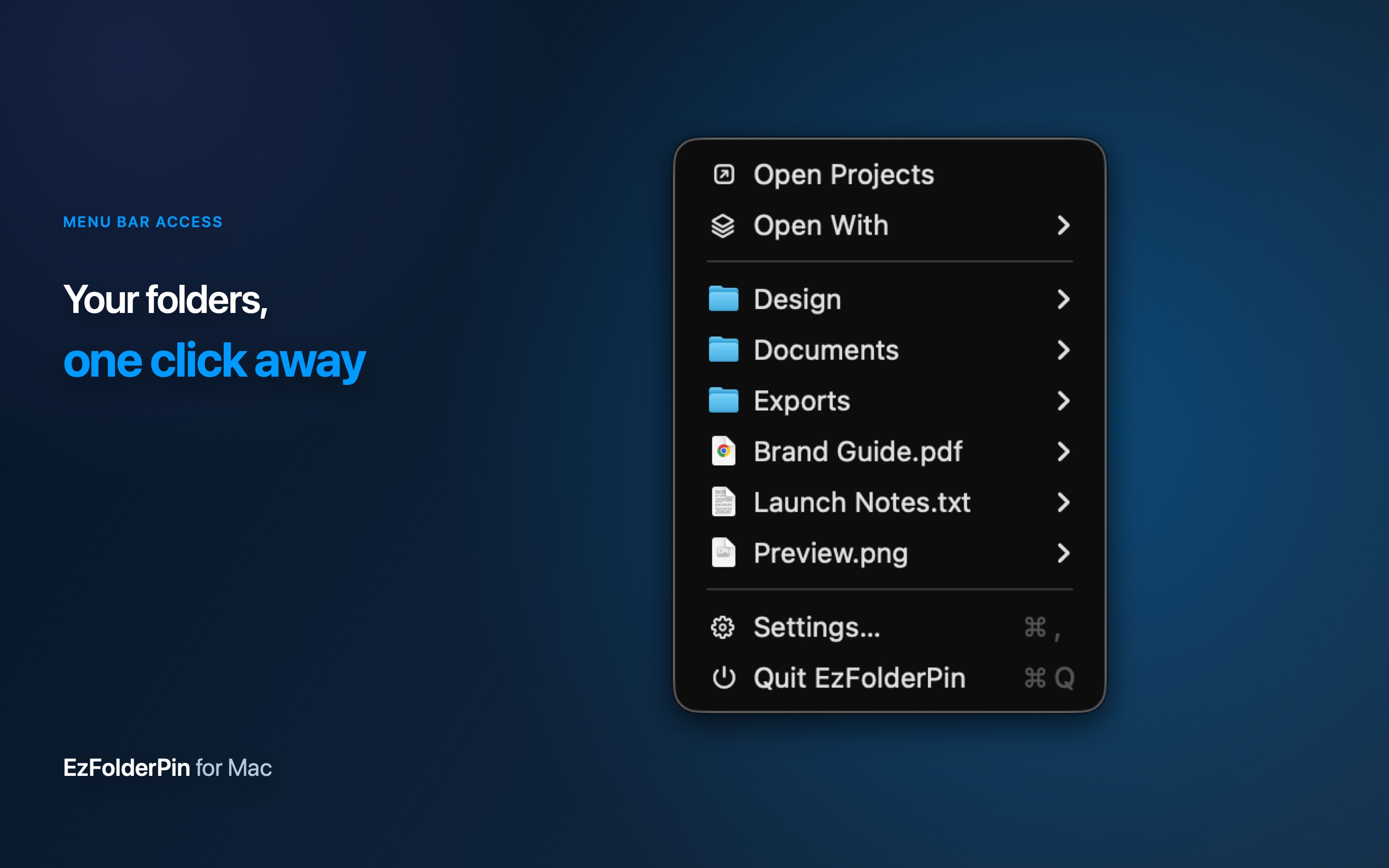
Pin the folders you use every day to the Mac menu bar. Browse, preview, open, share, copy, or drag a file without breaking focus.

  • Native AppKit menus
  • Read-only folder access
  • No account or analytics
EzFolderPin showing a pinned folder in the Mac menu bar
Fast by design

Finder actions, without the Finder detour.

Set it up once, then reach the folders and files you use every day from one familiar Mac menu.

How it works

Three steps from menu bar to file.

There is no new file manager to learn. EzFolderPin keeps the workflow compact and native.

  1. 01

    Add your folders

    Open Settings, press +, and choose the folders that belong in your everyday workflow.

  2. 02

    Open from anywhere

    Click the menu bar icon or use your global shortcut without leaving the app you are in.

  3. 03

    Browse and act

    Move through subfolders, then preview, open, copy, share, reveal, or drag the item you need.

Pin what matters

Your working folders, together.

Keep projects, downloads, client files, or any other frequently used location in one menu. Reorder the list and give every folder a recognizable symbol.

  • Add and remove folders in Settings
  • Choose a custom SF Symbol for each folder
  • Drag to arrange folders in the order you think
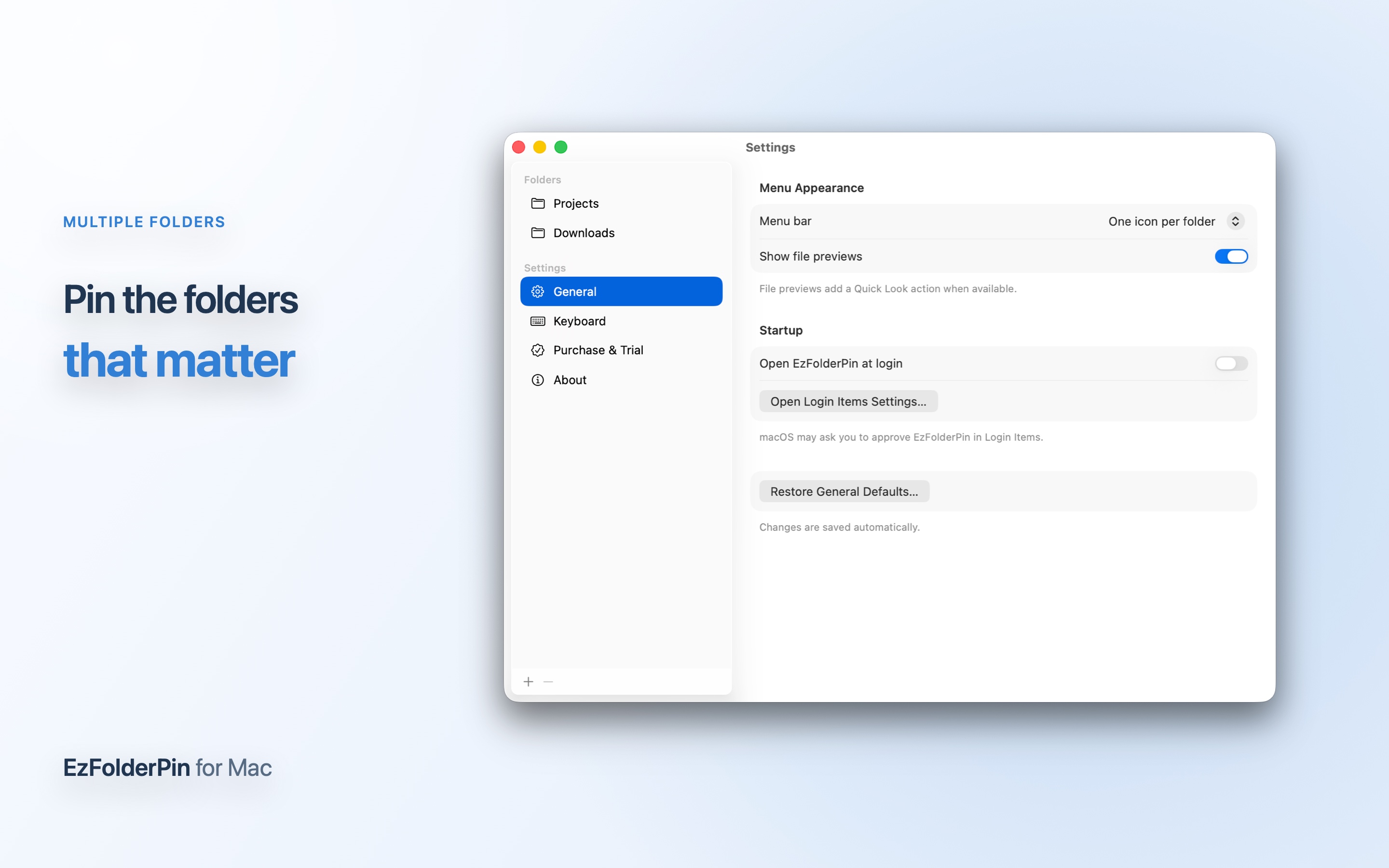
EzFolderPin Settings showing several pinned folders and their custom icons
Act in place

More than a folder launcher.

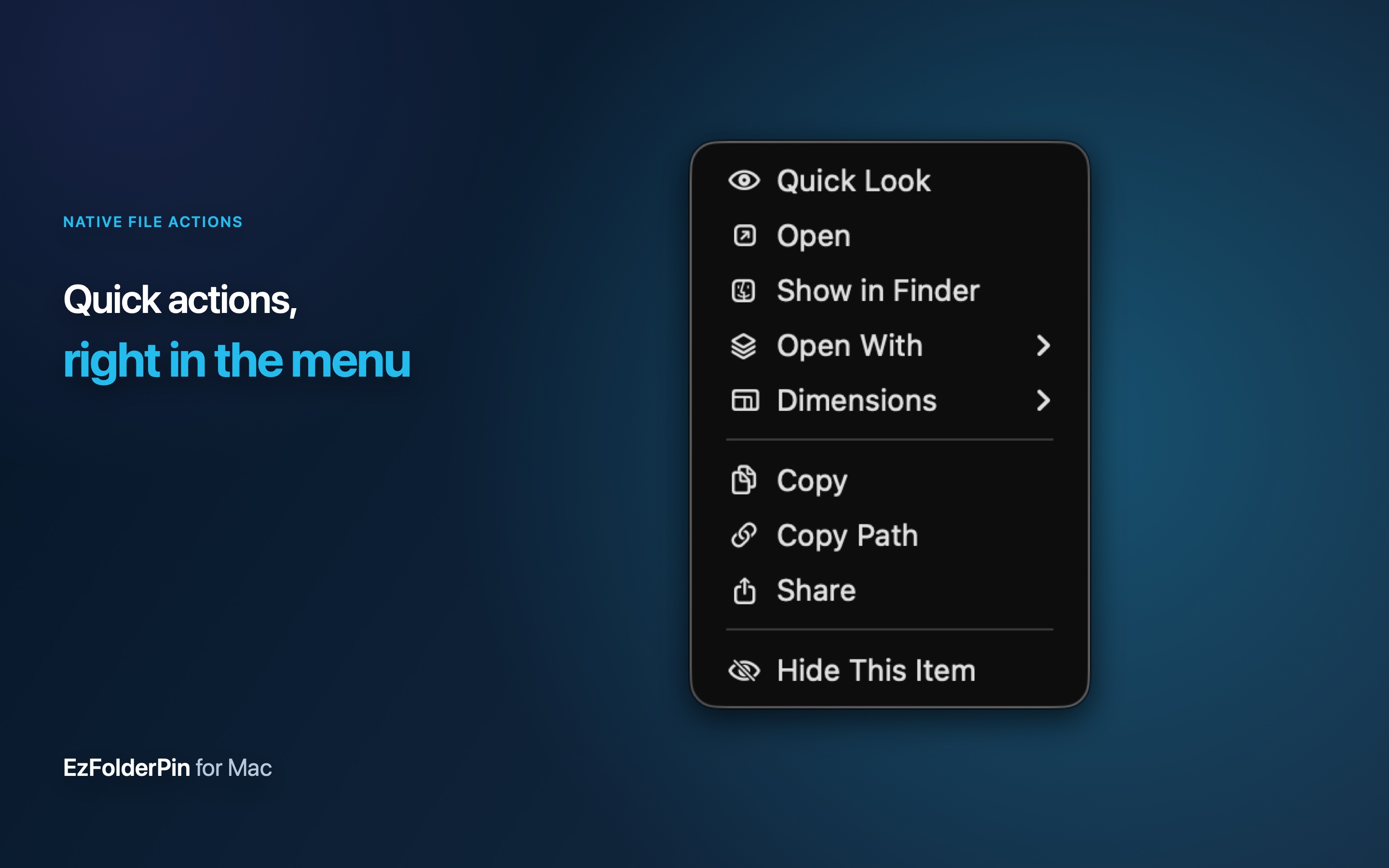
Open a file submenu to handle the next action immediately. The menu follows familiar macOS conventions, while a file stays draggable into Mail, Messages, an editor, or an upload field.

  • Quick Look, open, reveal in Finder, or share
  • Copy the file, filename, or full path
  • See useful details such as image dimensions
EzFolderPin file submenu with Quick Look, open, reveal, share, copy, and path actions
Stay in flow

A shortcut when the menu bar feels far away.

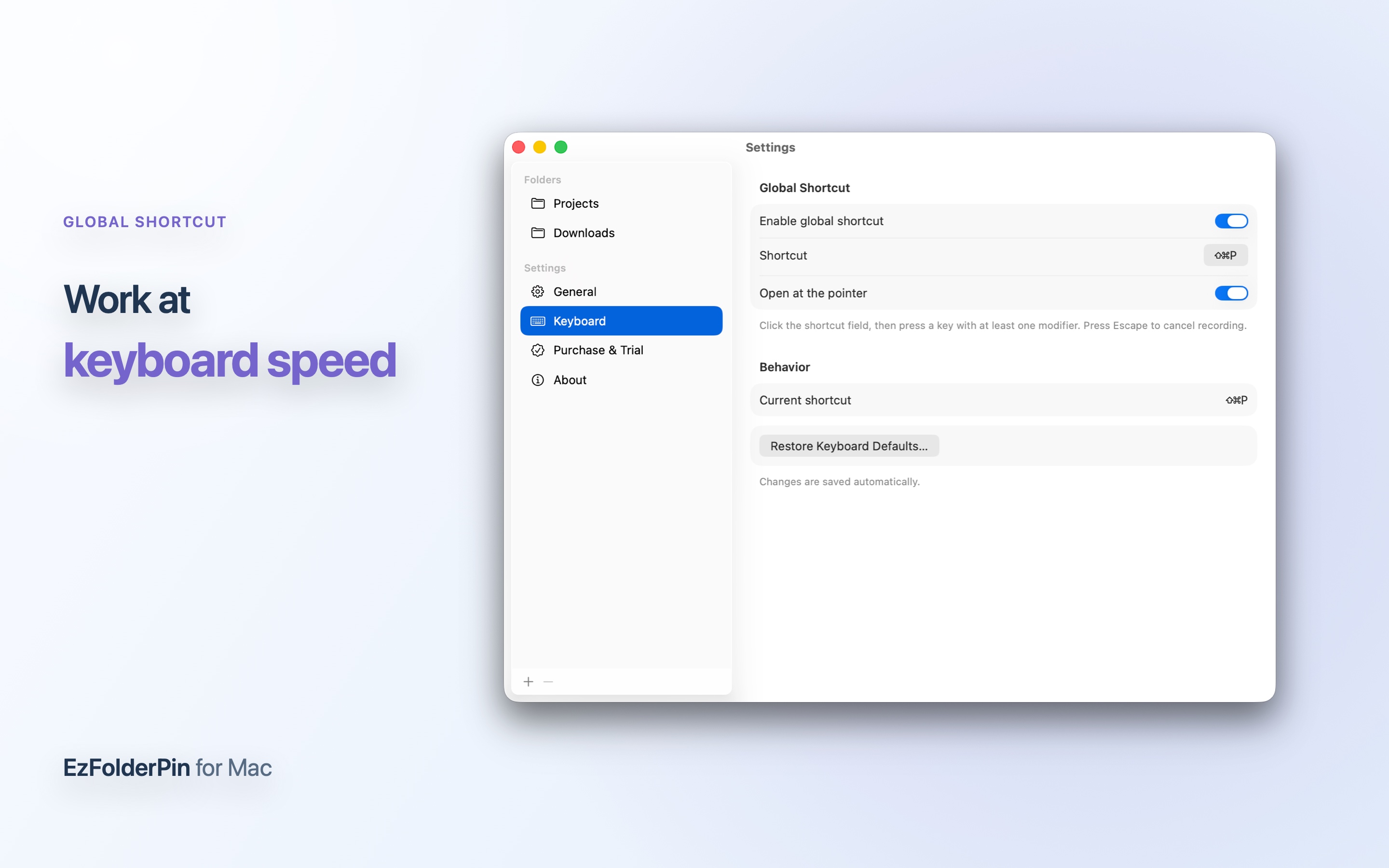
Assign a global keyboard shortcut and summon EzFolderPin over the app you are already using. You can also place the menu at the pointer for less travel on large displays.

  • Record the shortcut you already remember
  • Show the menu at the current pointer position
  • Keep the same workflow across every app
EzFolderPin keyboard shortcut settings on macOS
Tune each folder

The right view for every location.

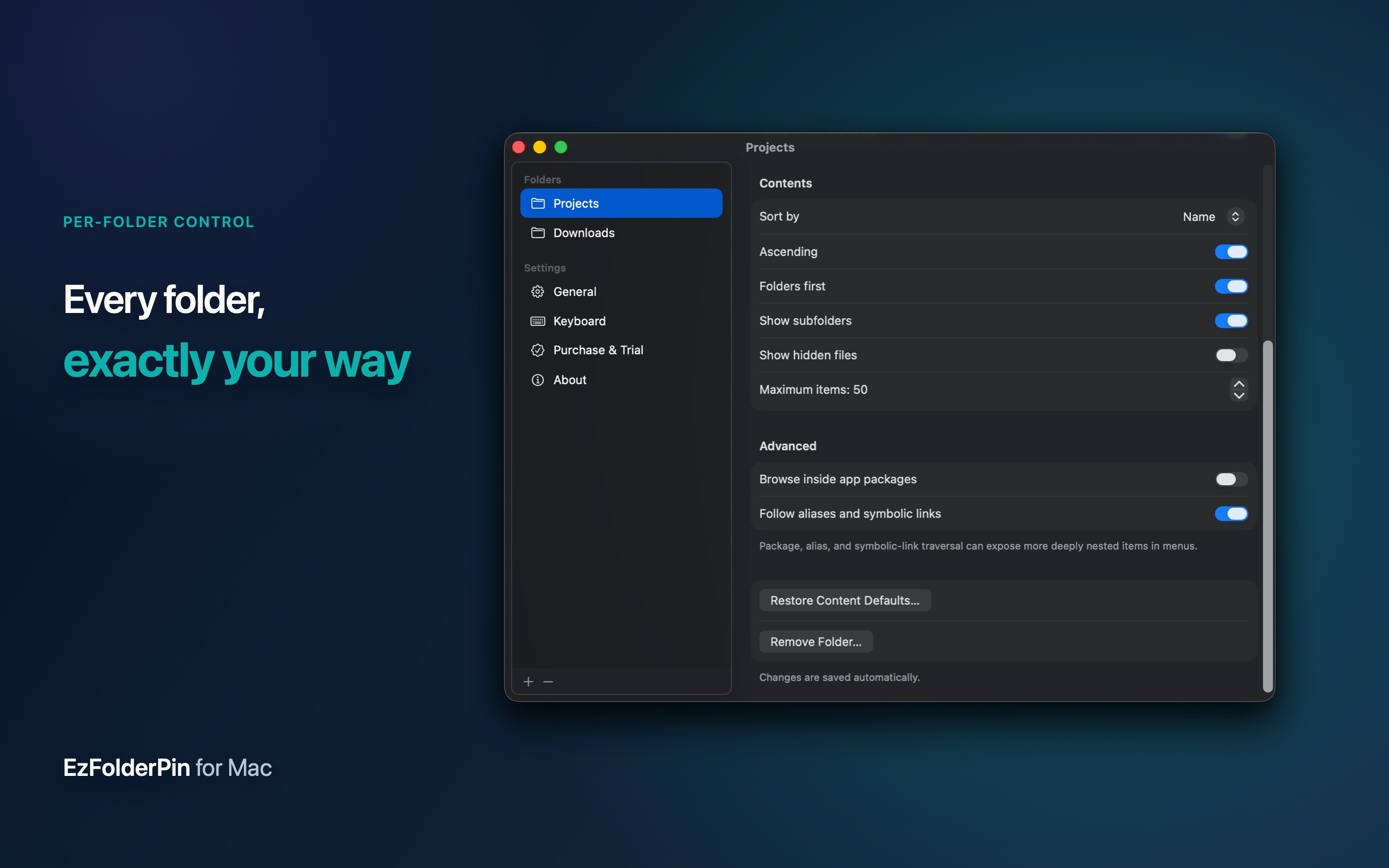
A source-code folder and a photo library should not behave the same way. EzFolderPin stores practical display and browsing controls per pinned folder.

  • Choose sorting and place folders first
  • Show or hide hidden files, packages, and aliases
  • Set item limits and submenu behavior per folder
EzFolderPin per-folder display and browsing controls
Simple ownership

Try everything. Then buy it once.

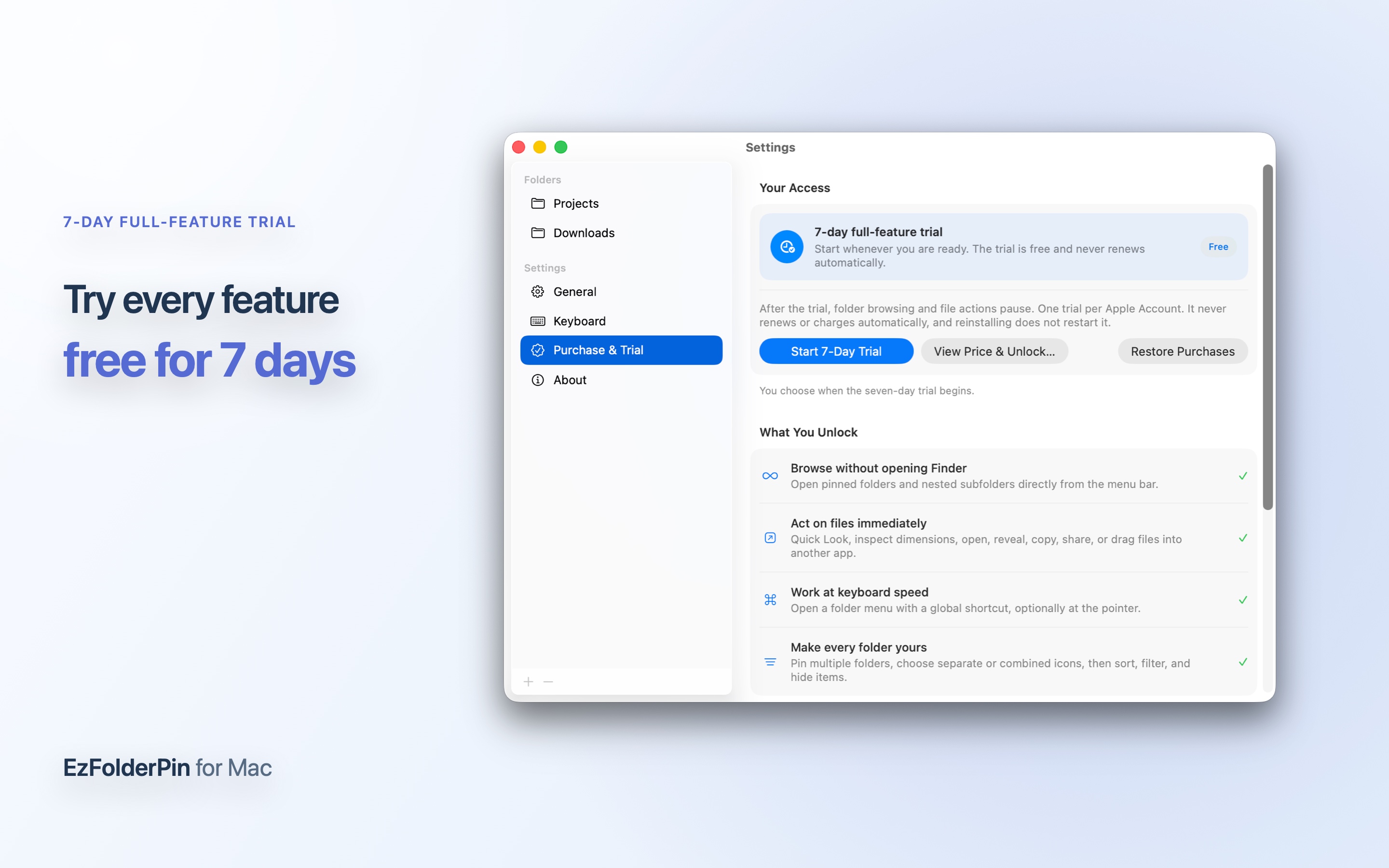
Every feature is available during a seven-day trial. It never renews, and reinstalling does not restart it. Afterward, your folders and preferences remain saved until you unlock EzFolderPin for life.

7

7-day full trial

No reduced mode. One trial per Apple Account, with no automatic charge.

Lifetime unlock

One purchase through the Mac App Store, with Family Sharing. No subscription or recurring charge.

EzFolderPin seven-day trial and lifetime unlock screen
Trial & Purchase shows the remaining trial time, unlock status, and exactly what the lifetime purchase includes.
Private by design

EzFolderPin has no account, advertising, analytics, or cloud upload. Folder access remains read-only and local to your Mac.

Read the privacy policy

Keep the folders that matter within reach.

A focused Mac utility, built to disappear into your workflow.